Enhanced Reporting Success Kit

Welcome to SimpleLegal’s next evolution of powerful reporting. Our enhanced customizable reports deliver compelling visualizations needed to effectively analyze your data and uncover hidden insights. You’ll be able to quickly view key metrics, identify trends, drill into complex data, create custom dashboards, easily share reports, and more!  

Robust datasets and capabilities allow reporting across various types of legal data. You can build reports from scratch or clone an existing report and customize. We empower you to create and customize your own reports because you know your business best. 

Reference our additional resources on the right for more information on how to get started.

Need more help on how to get started?

  • Attend our open office hours to get all your questions answered
    • Every Thursday at 10 AM PT, sign up here!
  • Check out our Custom Training Package
    • View everything included in our offering here.
    • Contact your CSM for next steps!
  • Get a custom report made just for you
    • See how SimpleLegal can do it for you- check out our datasheet.
  • Contact your CSM for best practices and recommendations

Best Practices

Successfully utilize our enhanced Reports and check out some of our recommended best practices!

  • Make a copy of our existing out-of-the-box prescriptive reports as a starting point to make adjustments and create your customized advanced report.
  • Keep your end goal in mind for what fields you need before you begin building out your report.
  • Consider the target audience for the dashboard. Do they want to see more detail or is it best to focus on high level KPIs?
  • Think about what business questions the report should answer to help drive what data needs to be included and how it might be best presented.
  • Try not to put too much on one view or page. Enhanced Reporting allows for tabs in dashboards so your data can be logically presented.
  • Include context, when possible, with conditional formatting to help your audience understand if a KPI is ‘good’ or ‘bad’.

Check out our best practices for Legal KPIs by Management Level for more information!

FAQs

Here are some of our top FAQ’s to answer your question:

One of the main differences is that Enhanced Reporting data is refreshed every 24 hours, whereas other reports are refreshed in real time. Enhanced Reporting also offers more robust functionality and visualization options to help users explore data and share insights.

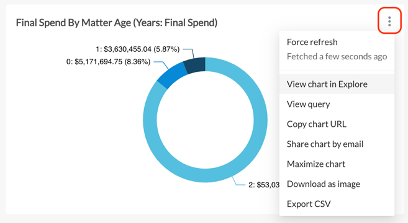
Yes, if you need to share a report with someone who does not have SimpleLegal access, click on the more (...) option in the top-right corner of the report dashboard and select Download as image. This downloads the report to your computer so that you can share it as needed.
To share the report with a SimpleLegal user who has access to Enhanced Reporting, choose the Copy dashboard URL or Share dashboard by email options.

You can clone an individual chart in a report by clicking the more (...) option in the top-right corner of the chart and selecting View chart in Explore.

enhanced reporting success kit

Please check out our short tutorial videos for additional information.

No, all Enhanced Reporting data is refreshed between 12:30am to 2:30am Pacific Time each day. At this time, there is no option to adjust or customize the refresh time.

Please check the dataset descriptions and definitions in the resource center to determine what the correct field selection should be and adjust appropriately.

First try to remove all filters selected and add them back 1 by 1. If it is a date filter, try selecting different dates.

Don’t see your question answered? View our full FAQ page here, or visit our Resource Center for more guidance.

We hope this success kit guides you on how to use SimpleLegal’s enhanced Reporting to its maximum potential. If you have any further questions, please take a look at our other resources on the right-hand side of this page.  As always, your Customer Success team is here to help! Contact your CSM or email success@simplelegal.com for more information on how to get started with Enhanced Reporting.